
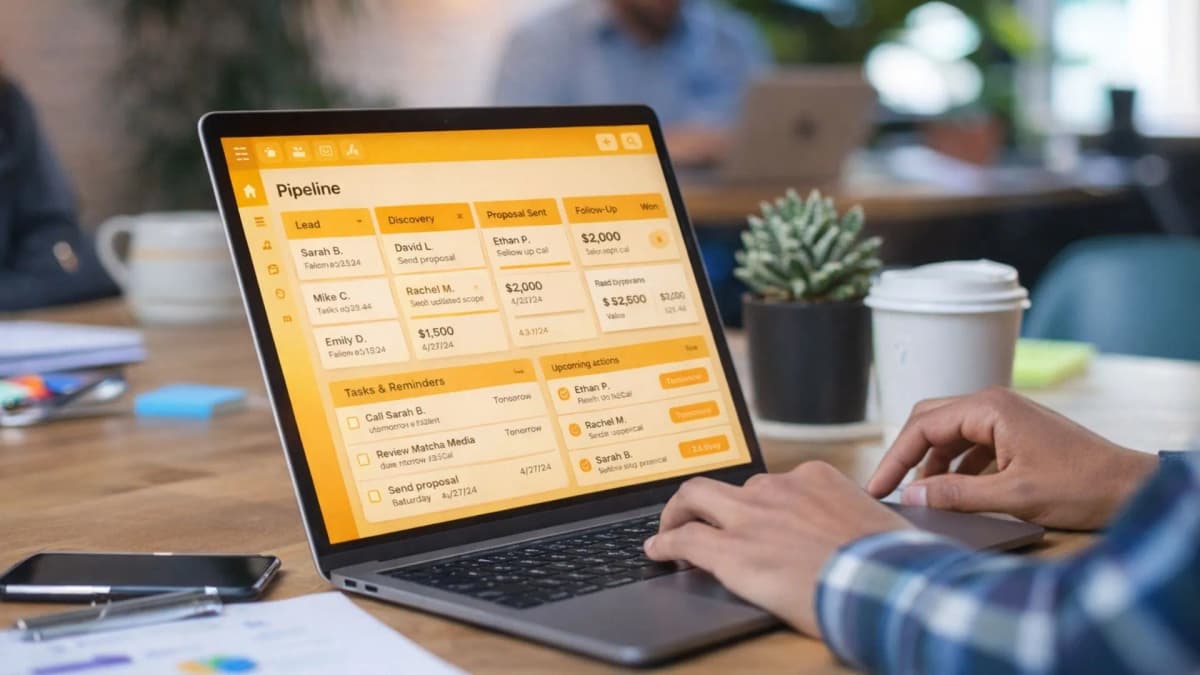
In the fast-paced world of freelancing, it’s easy to lose track of leads and client messages.
A CRM (Customer Relationship Management) system is a tool that stores your lead and client details and tracks every interaction, so you can manage follow-ups and next steps in one place.
For UAE-based freelancers juggling WhatsApp, email, LinkedIn, and DMs, learning how to use a CRM as a freelancer is one of the simplest ways to stay organised and win more work without feeling scattered.
Let’s cover what a CRM is, how a simple pipeline works, and how to set up a system you will actually use.
A CRM is a follow-up system. It stops leads from going cold because every contact has a next step and a date.
Your pipeline should be simple. Lead → Discovery → Proposal → Follow-up → Won/Lost → Repeat work.
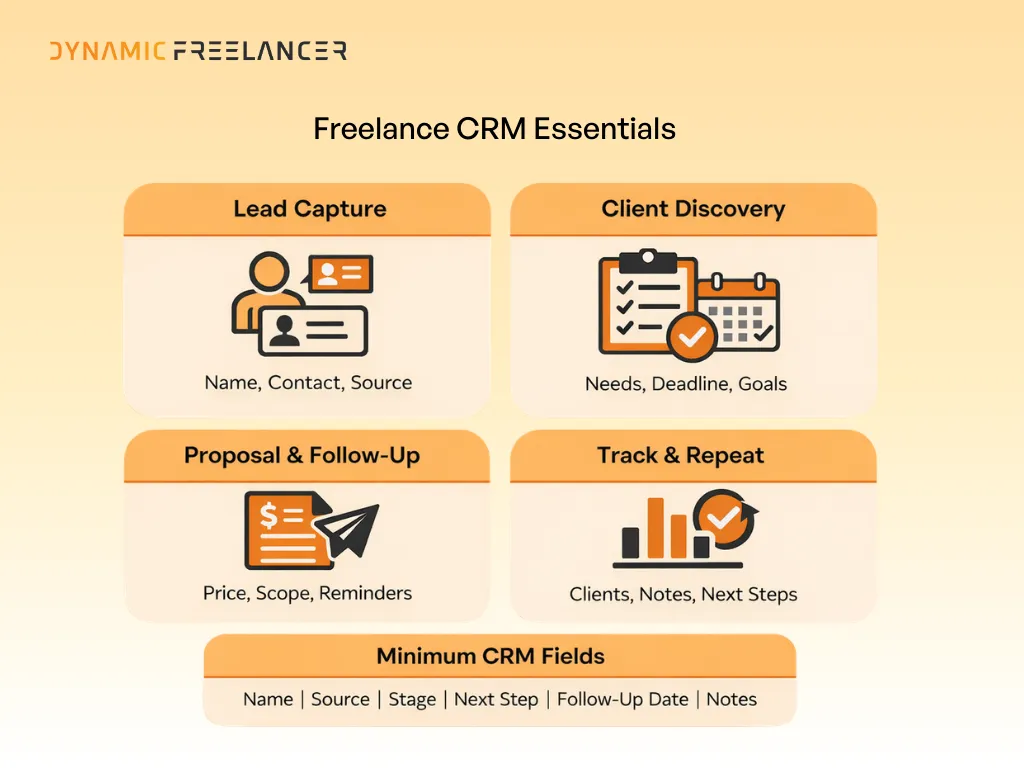
Track the minimum, consistently. Name, contact, source, stage, next action, follow-up date, and notes are enough to start.
Repeat clients are your easiest revenue. Use your CRM to schedule check-ins and turn past projects into ongoing work.
Understanding CRM for Freelancers
What is CRM?
CRM stands for Customer Relationship Management. It’s a system that stores your lead and client details and helps you track every interaction. It shows where each lead is in your process, what you agreed, and what you need to do next.
For a freelancer, a CRM is basically a reliable place to manage client relationships. It stops you relying on memory, scattered notes, or long message threads.
Benefits of CRM
A CRM makes your work easier because it keeps everything in one place. It helps you organise contact details, track conversations, and stay on top of follow-ups.
It can also help you manage multiple projects at once, because you can see who needs a reply, who is waiting for a proposal, and who is ready to start.
The Freelance Pipeline
Pipeline Stages
A pipeline is the stages a client goes through before and after they hire you. A simple freelance pipeline often includes:
Lead
Discovery
Proposal
Follow-up
Won/Lost
Repeat work
You can keep these stages basic at first. You can always adjust them later when your system is running smoothly.
Managing Each Stage
In each stage, your job is to record the key information and set a next step.
Lead Stage: capturing the person’s name, contact details, and where they came from.
Discovery Stage: learning what they need, what the deadline is, and what success looks like for them.
Proposal Stage: sending your price, scope, and timeline.
Follow-up Stage: where many freelancers slip. A CRM helps because you can set a date for your next message instead of hoping you remember.
Won/Lost Stage: recording the outcome. If you win, you move them into an active client list. If you lose, you note why, so you learn what to change next time.
Repeat Work Stage: tracking past clients who may need you again. This stage matters because repeat clients are often easier and faster to convert.
Minimum Viable CRM Setup
Essential Elements
You do not need a complex setup to get value from a CRM. A minimum viable CRM for freelancers can be a table with the basics:
Contact + source
Service needed
Stage
Value
Last contact
Next step + date
Notes
This is enough to stop leads falling through the cracks.
Setting Up Your CRM
Start simple. You can begin with a spreadsheet and upgrade later. The important part is that you update it consistently.
Create one place where every new lead is recorded. Each time you speak to someone, update the “last contact” field and add a “next step + date”. That one habit alone improves follow-ups immediately.
If you are using a tool with reminders, set a reminder as soon as the lead enters your system. If you are using a spreadsheet, add a weekly diary reminder to check the sheet and follow up.
CRM Tools for Freelancers
Simple Solutions
If you want an easy start, use tools you already know. These are good options for a basic system:
They work well for solo freelancers and they are quick to set up.
Advanced Options
If you want automation, email tracking, or a stronger pipeline view, a dedicated CRM may be better. These are popular options:
A UAE Option Built for Freelancers
Dynamic Freelancer’s Freelance Central is a members-only portal and mobile app designed to help UAE freelancers effectively manage key admin and clients in one place. It includes client management (so you can create and store client details), invoicing (raise invoices and track payments), and support through in-app tickets. The platform can be accessed on desktop or mobile, and it’s available on Android and iOS.
Choose one based on how you work. If you mostly manage leads and proposals, a sales-style CRM may fit. If you manage projects, bookings, and client workflows, a tool like HoneyBook or Dubsado can be useful.
Worth a look: Master Your Monthly Freelance Admin Routine
Building CRM Habits and Automation
Daily Habits
A CRM only works if it stays updated. The easiest daily habit is simple: capture every new lead, then set the next step immediately.
If someone messages you and you cannot reply properly in the moment, log them and set a follow-up date. That prevents missed opportunities.
Weekly Review
Once a week, review your pipeline. Look at every lead and ask: what is the next step, and when will I do it?
A weekly follow-up sprint helps. You can send quick check-ins, reply to stalled conversations, and move cold leads to “lost” so your pipeline stays accurate.
Templates also help you stay consistent. You can create simple templates for follow-ups, proposals, and project check-ins. This saves time and keeps your communication clear.
Make Your CRM Work for You
Learning how to use a CRM as a freelancer can make your business feel calmer and more professional. It helps you manage leads, track follow-ups, and stay organised across multiple clients and projects.
Start with a simple setup, build a habit of recording next steps, and then add tools or automation only when you need them. Over time, your CRM becomes the system that supports more sales, better client relationships, and more repeat work.
Frequently Asked Questions
Find answers to common questions about this topic
What is a CRM and why is it important for freelancers?
What are the stages of a freelance pipeline?
Which CRM tools are recommended for beginners?
Disclaimer: This article is intended to provide practical, up-to-date information. Details may vary based on individual circumstances, location, or changes in regulations. The information provided is for informational and educational purposes only.